A Google domain
The listing is hosted at Google itself. That's a neighbourhood you get neither by exchange nor by purchase.
SEO
Publishing an extension gives your site a listing hosted on a domain Google owns, indexed, and pointing back at you. No link exchange will offer you that. Here's the full method, what it really costs, and the rule that gets most attempts rejected.
Every published extension gets a public page on chromewebstore.google.com. That page displays your site's name and links back to it.
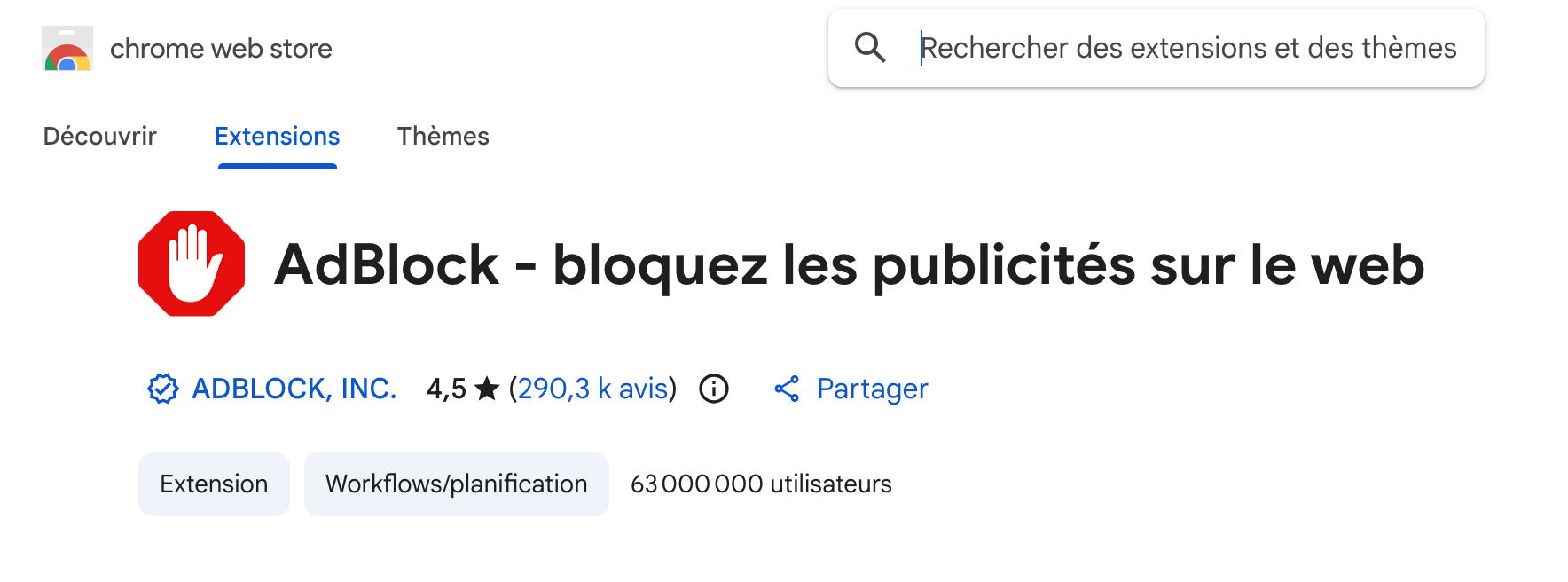
The listing is hosted at Google itself. That's a neighbourhood you get neither by exchange nor by purchase.
Chrome Web Store listings appear in search results. Yours will exist like the others.
Every person who installs the extension and clicks your name lands on your site. That's a visitor, not just a signal.
A published extension stays online. It isn't renegotiated every year like a partnership.
A point of honesty: nobody can state publicly whether Google grants authority to that link or neutralises it. What is certain and verifiable is the indexed page on its domain and the traffic it sends. Be wary of anyone promising you a measured jump in the rankings.
The Chrome Web Store's anti-spam policy forbids extensions that merely redirect the user to another site. An extension that's just a shortcut to your homepage will be rejected.
That constraint is good news in disguise. An extension genuinely useful to your audience gets installed, gets kept, and brings you visitors for years. A disguised shortcut gets rejected, and you'll have wasted your time.
Start from what your visitors already do by hand. A comparison tool, a search shortcut for your site, a watch list, a highlighter. The good idea is the one that helps ten times a week, not the one that impresses once. If you don't yet have a site to hang it on, start by finding a profitable SEO niche: the extension's function follows from the audience.
The Chrome developer dashboard asks for a one-off five-dollar fee, paid once and for all. It then covers as many extensions as you want to publish.
An extension is a folder containing a manifest.json file, a little HTML and some JavaScript. You can write it yourself if you code, or go through a tool that generates it from an analysis of your site.
Clear name, a description that describes the function rather than the searches you're targeting, sharp screenshots, a clean icon. This is the page that will be indexed: it deserves the same care as a page of your own site.
Google's review takes from a few days to a few weeks depending on the permissions requested. The fewer you ask for, the faster it goes. A rejected extension can be corrected and resubmitted.
Step three is what stops most people. Tools take it off your hands: you give your site's address, the tool analyses it and suggests extension concepts suited to what it finds.
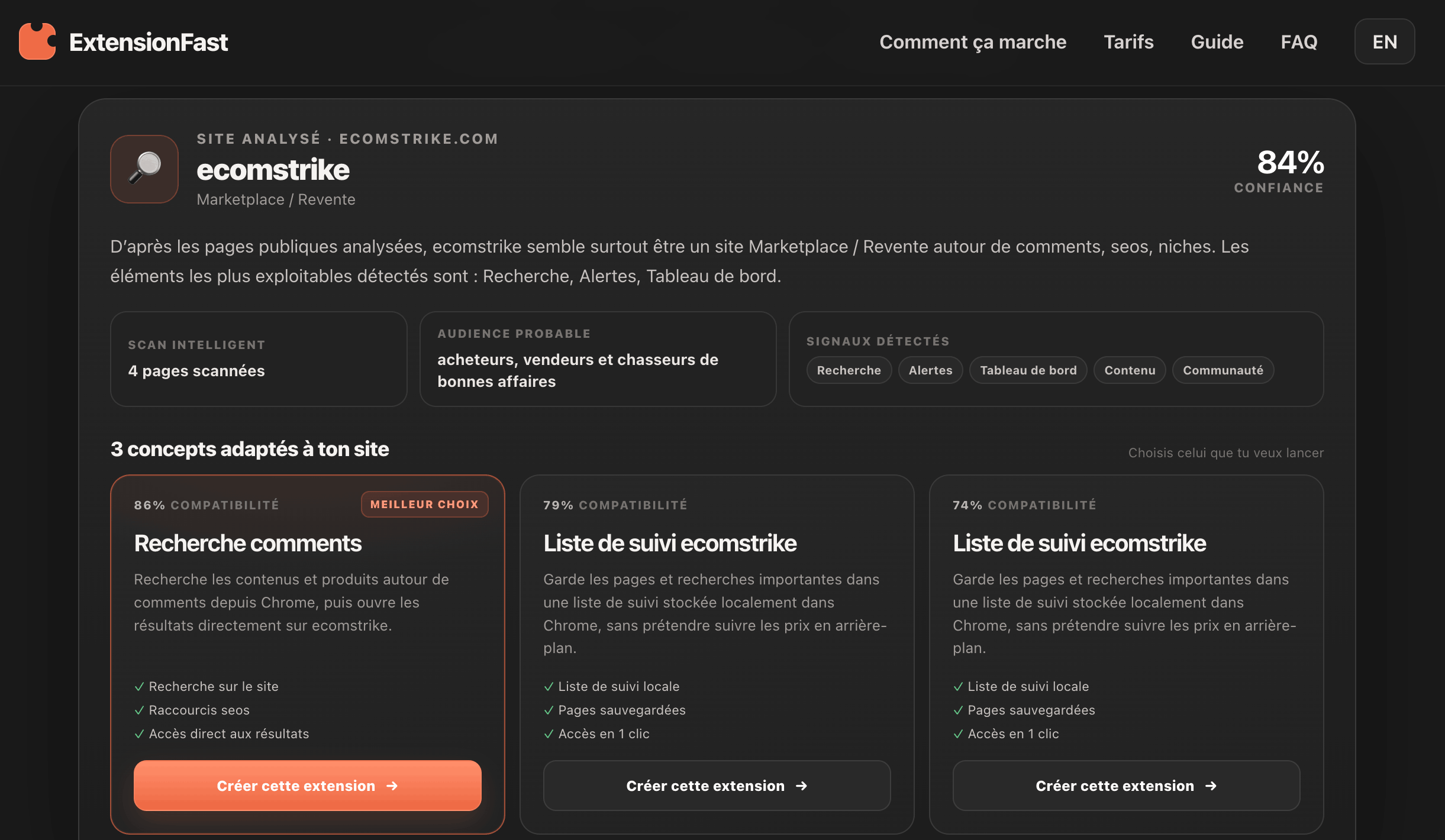
That's the solution I use, with ExtensionFast. It works in four moves: you enter your site's address, you run the analysis, you pick one of the suggested concepts, and you get the package ready to upload. Submitting it to the Chrome Web Store stays on you — deliberately, since your developer account is yours.
Site analysis, concept suggestions, package generation. One-off payment per extension, no subscription.
$69One-off registration fee, paid once. It opens the right to publish as many extensions as you want.
$5 onceUnder eighty dollars for a first extension, then sixty-nine for each one after. Compare that to the price of a sponsored article on any random site.
$74Two reservations before you get your card out. The generated concept still needs reading over: you're the one answering for the extension's usefulness in front of Google's review. And a tool doesn't excuse you from step four — a sloppy listing will be indexed sloppy.
No. An extension is a folder containing a configuration file, some HTML and some JavaScript. Tools produce that package for you, and all that's left is uploading it. Knowing how to code helps you do better and cheaper, but isn't essential.
Five dollars once for the Google developer account, whatever the number of extensions. Then nothing if you code, or the price of the tool you use. No subscription on Google's side, no annual renewal.
The review runs from a few days to a few weeks. It gets longer with the number of permissions requested. An extension that reads nothing sensitive goes through much faster than one demanding access to every page visited.
Nobody can promise you that, and you should be wary of those who do. What you get for certain: an indexed page on a Google domain leading to you, and the visitors who install the extension. Treat it as one more asset, not as a magic lever.
Yes, with the same developer account and at no extra cost. Publishing several extensions that do the same thing under different names, however, is explicitly forbidden and ends in removal.
Google states the reason. The most common are the absence of a real function, excessive permissions, and a description stuffed with keywords. You correct it and resubmit, without paying again.
The member area's SEO site generator suggests, for each niche, two extension ideas specific to its audience, along with the page the listing should point to.